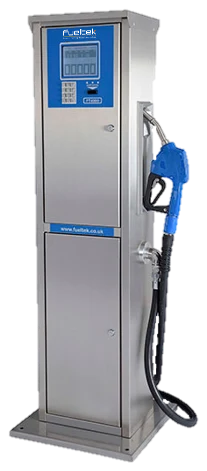
What is it?
A tank level monitoring system made up of calibrated probes and a local Tankwatch control panel.
Tank monitoring
A local and browser-connected tank monitoring system providing accurate stock, ullage, delivery, throughput and alarm information at the tank and from any authorised location.
Prepare an enquiry for Tankwatch
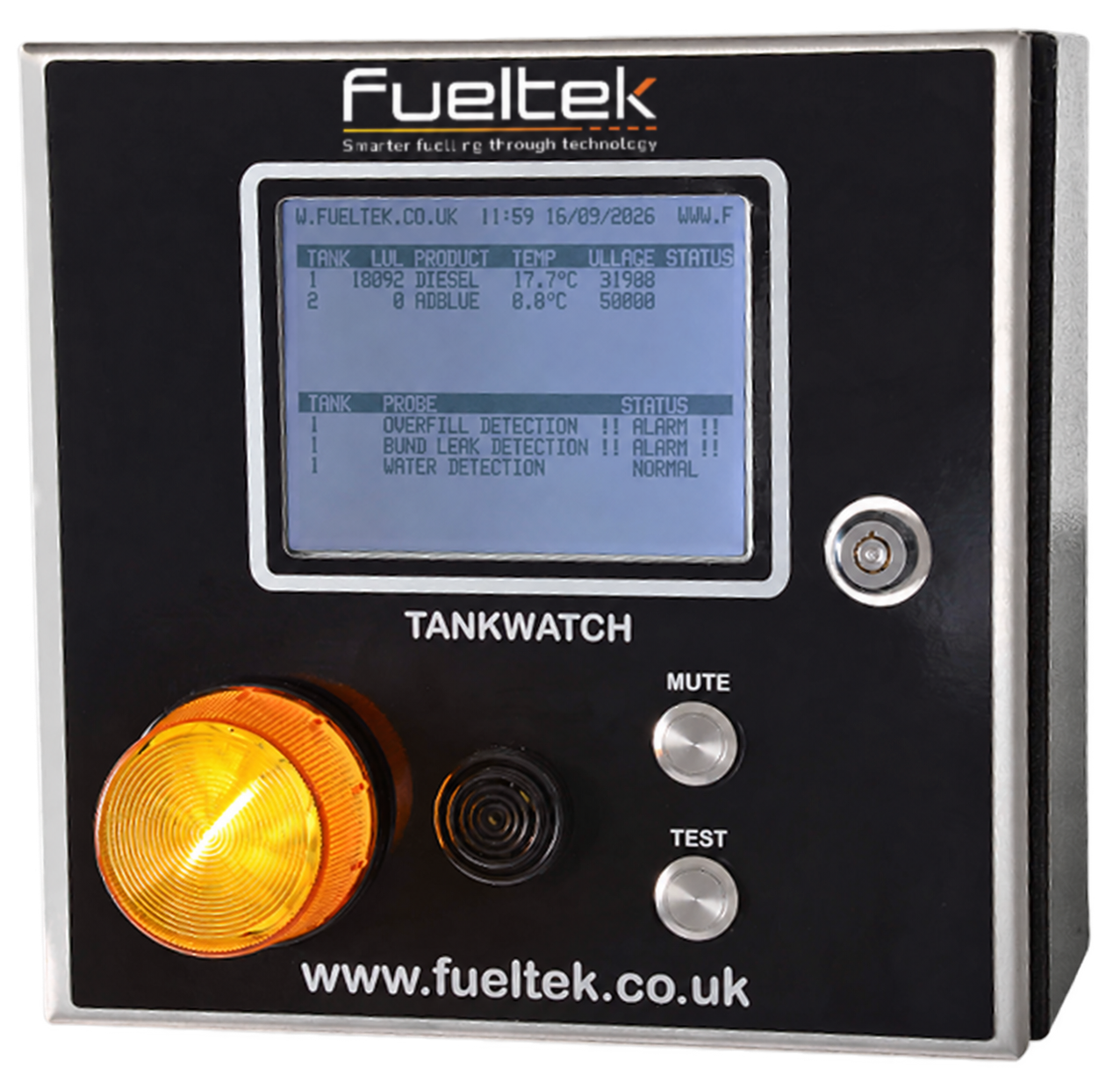
A tank monitoring system that provides local and remote visibility of stock, ullage, deliveries, throughput and alarms.
A tank level monitoring system made up of calibrated probes and a local Tankwatch control panel.
It converts measured liquid level into useful stock, ullage and tank-status information for the site team.
Sites that need clearer visibility of stored fuel or AdBlue for delivery planning, stock checks and exception review.
Compatible tank probes, the local display and Fueltek reporting software where remote monitoring is included.
Alongside the tank and dispensing system, adding stock visibility to the transaction information recorded at the pump.
TankWatch equipment
Tankwatch monitors the fluid inside a storage tank using calibrated probes connected to a local control panel. It gives delivery drivers and site teams a clear local interface while also supporting remote stock management through Fueltek TMO reporting software.
Clear information where deliveries happen.
Calibrated tank readings can contribute to FMO stock visibility alongside recorded fuel issues; the probe remains matched to the tank geometry.
A stock measurement supports inventory and ullage information. It does not by itself identify water at the bottom of the tank.
Water-ingress alerts are available with the appropriate TankWatch sensing arrangement. Water inside the primary tank and liquid in the bund are monitored as separate conditions.
A bund sensor concerns liquid in secondary containment. It is not a test of fuel quality inside the primary tank.
Neither a bund alarm nor water indication diagnoses diesel bug. Suspected contamination requires appropriate sampling and specialist investigation.
Fueltek FMO
TankWatch integrates with FMO so measured tank stock can be compared with recorded dispensing and calculated book stock. TMO (Tank Manager Online) provides the dedicated browser-based tank-reporting service.
Example FMO screens · Views and records depend on the connected equipment and account permissions. Select an image to view it full size.
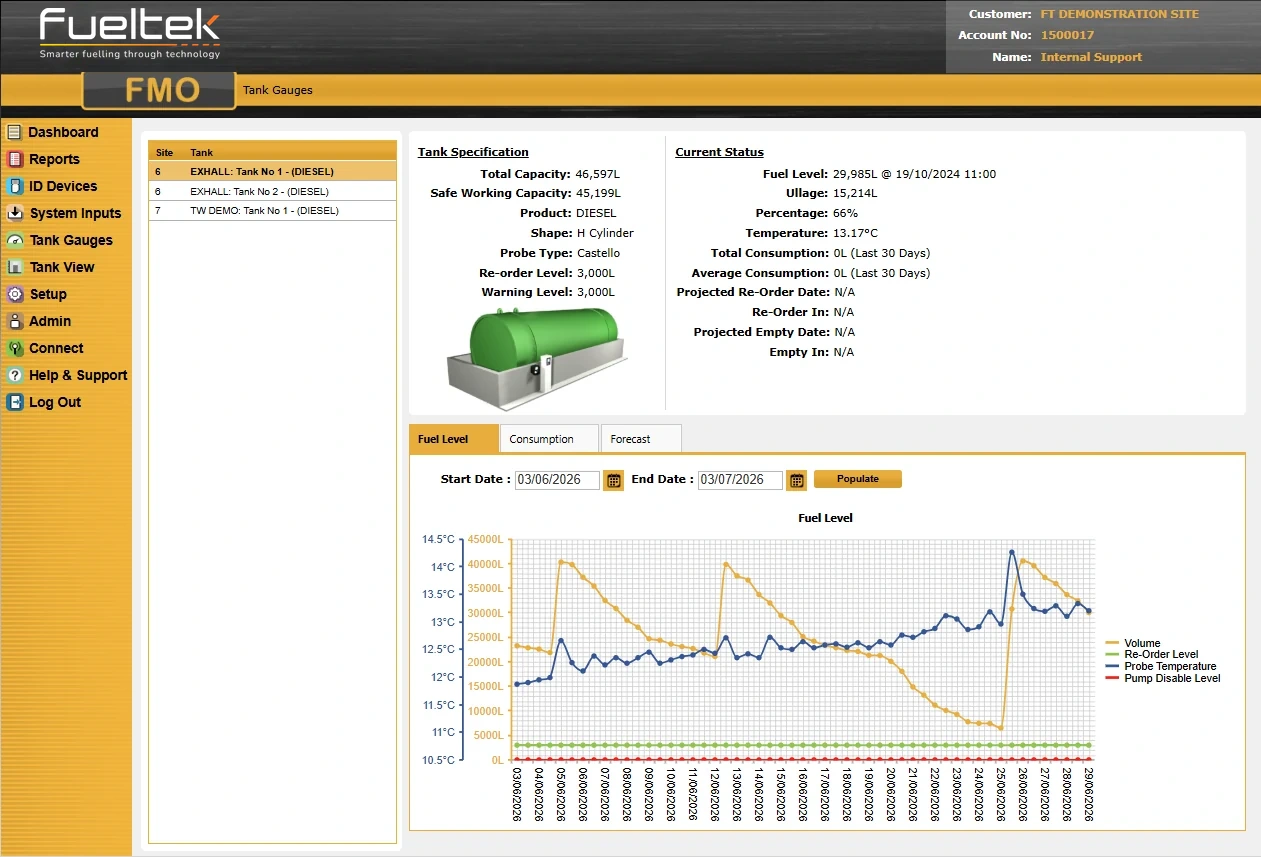
FMO’s Tank Gauges screen shows tank details, received readings and level history where TankWatch is connected.
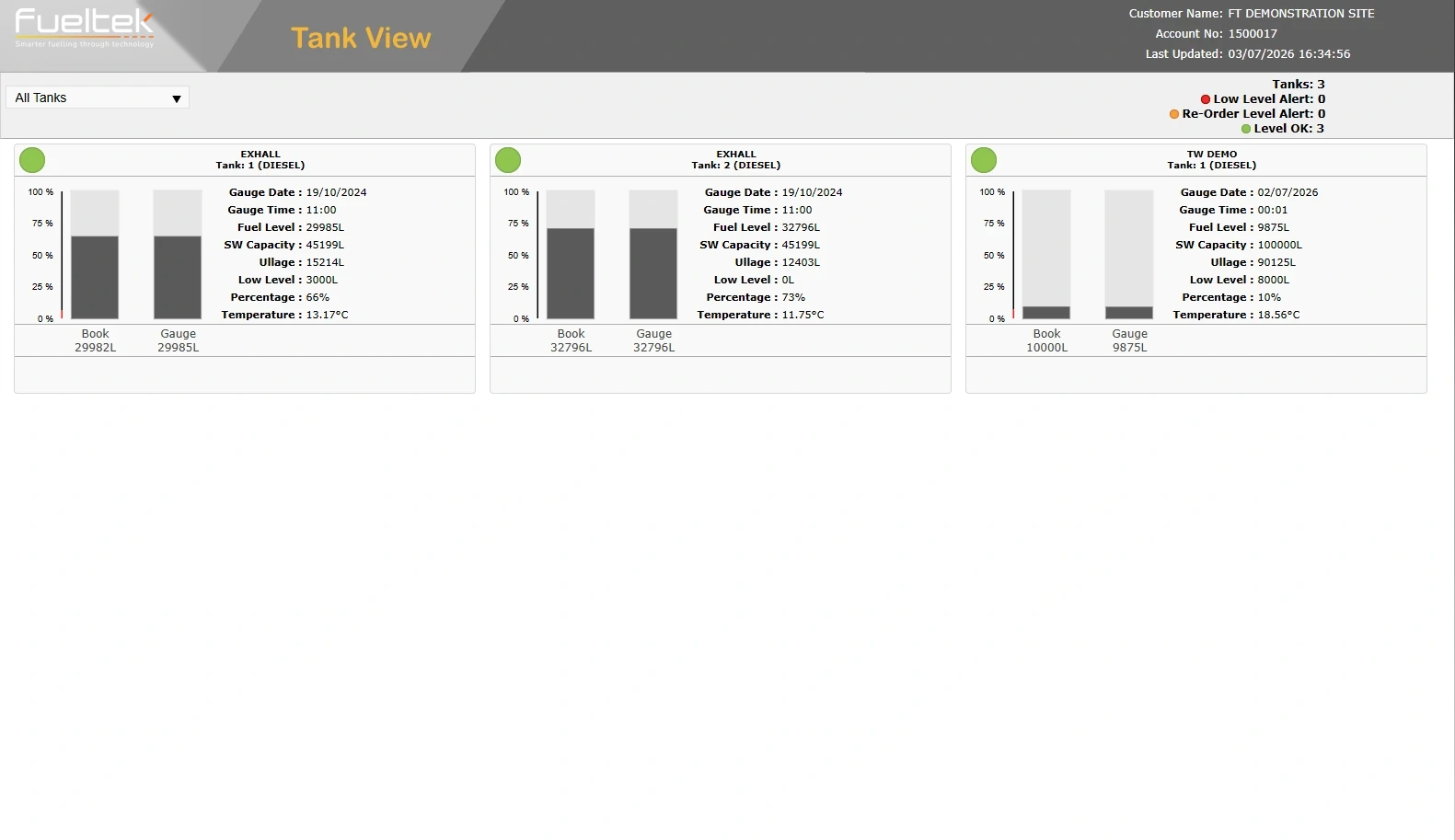
Tank View presents book and gauge figures together, with tank status and update times. These are FMO views, separate from TMO reporting.
Technical information
TankWatch combines monitoring hardware and a local display, with probes and communications matched to the tank and installation.
Monitoring scope
TankWatch supports local audible and visual warnings, with configurable remote email or text notifications. Available alarms and notifications depend on the installed sensors, communications service and configuration.
Pump isolation requires a compatible interface and configured trigger. A displayed low-stock warning and a pump interlock serve different purposes.
TankWatch supports 4G/LTE mobile data, Wi-Fi and Ethernet connectivity, with the communications module matched to the network available at your site. Roaming SIMs and connection options.
Optional email or text alerts notify nominated recipients using the installed sensors, thresholds and communications service. Low-level, overfill, bund-leak and unusual-stock-movement indications remain distinct; water-ingress alerts need the appropriate sensing arrangement.
Technical detail
The tank’s stock display and its protective functions should be specified as distinct parts of the installation.
| Function | What the information means | What to define |
|---|---|---|
| Stock and ullage | Calculated liquid quantity and remaining space derived from the configured measurement. | Tank geometry, probe arrangement and agreed operating levels. |
| Delivery and movement records | Changes over an identified period. | Time alignment, detected versus recorded deliveries and other outlets. |
| Bund leak indication | A separate containment condition to investigate. | Required sensor arrangement and response; do not infer it from a normal stock reading. |
| Overfill / low-level response | A warning or configured protective action. | The trigger, local indication, remote notification and any required interlock. |
| Remote availability | The latest received reading and communication status. | Reading age and communication failure handling before relying on the display. |
Product downloads
Use the sheet to review the physical stock information available at the tank and through TMO reporting. It explains the local panel, probes and calibration that need to suit the tank installation.
Tank geometry, stored product, probes, alarms and communications determine the monitoring arrangement.
See all product sheets and download guidance →Tank shape, probe arrangement, power and communications can affect the final Tankwatch setup, so those details should be checked for each tank rather than assumed from a standard configuration.
Explore the range
Tankwatch adds stock visibility rather than dispensing control. Compare it with Fueltek’s terminals and dispensers when the wider project also needs authorised fuel issue, metering or transaction reporting.
Compare product roles
Tankwatch measures tank stock and movement. FT4000 controls authorised fuel issues and records transactions. Compare the two roles when specifying monitoring alongside dispensing control.