A Datatag can identify a driver, vehicle or asset within the configured access workflow.
Datatag characteristics
Characteristic
Device characteristic
Read/write authentication
Read/write authentication uses a cryptographic algorithm.
Read/write endurance
Minimum 100,000 read/write cycles.
Data retention
Minimum ten-year device data retention. Software transaction-retention arrangements are separate.
Device and reader compatibility determine the identifier required for an existing installation. Device endurance and warranty cover are separate specifications.
DataDisk is a passive identifier mounted on the vehicle. A compatible reader at or beside the pump identifies the vehicle when the device is presented. It suits operations where a keyring tag is less practical, including buses, trains and plant without a dedicated ignition key.
Driver identity and mileage can be captured through the configured fuelling process; vehicle identification alone does not provide an odometer reading. Datatag provides handheld read/write identification, while Datacard and magnetic-stripe access use their corresponding readers.
Nozzle-based identification
DataNozzle identifies the intended vehicle at the dispensing point. Automatic mileage capture is a separate option for compatible equipment. Read the T&M Plant project.
Technical information
DataNozzle: identify the vehicle at the filler
DataNozzle uses a reader in the nozzle boot and a passive vehicle identifier positioned near the filler. The vehicle tag needs no wired connection and is designed to become unusable if removal is attempted, helping prevent transfer to another vehicle.
Authorisation and the fuelling sequence
The nozzle-boot reader detects the passive vehicle tag at the filler. The configured system checks identity and permissions before enabling the issue, with a separate driver identifier where required. Removing the nozzle during fuelling stops dispensing. The FT4000 records the issue and transfers the information to FMO.
Mileage capture and operational fit
Automatic mileage capture is available with a compatible vehicle mileage output or API integration. Mileage and recorded fuel use can then support consumption reporting. Vehicle identification alone does not provide an odometer reading.
The workflow can reduce repeated movement between a vehicle and terminal at busy or high-throughput fuel points. A normal handheld Datatag is presented by the user at the reader; DataNozzle reads the fitted vehicle identity at the dispensing point.
DataNozzle is available across the FT4000 FACT range with the appropriate nozzle reader and vehicle tag, and can operate across a network of FT4000 systems. Datadisk, Datacard and magnetic-card access use their corresponding readers.
Datatag and DataNozzle use industrial-grade materials resistant to water, hydrocarbons and UV exposure for everyday use in transport and plant environments.
Datatags are guaranteed for the life of the system. Their secure read/write design supports at least 100,000 read/write cycles and a minimum of ten years’ data retention. The keyring-format Datatag is also fire retardant. These endurance and guarantee specifications apply to Datatag.
The operational challenge
FMO Driver, vehicle and asset records.
The identifier gives the fuel issue its driver, vehicle or asset context. FMO manages the configured assignments, permissions and records used by the connected Fueltek terminal.
Identity and permissions in FMO
FMO maintains the association between identifiers and authorised drivers, vehicles or machines. The configured record can capture both the person refuelling and the equipment receiving the fuel, including shared vehicles.
Permissions and lockout state are managed through the configured system. Lost identifiers can be disabled; replacement tags are matched to the installed reader and site configuration.
Programmed changes depend on the connection between FMO, the terminal and the identifier. Offline equipment receives updates when the relevant connection or update process becomes available.
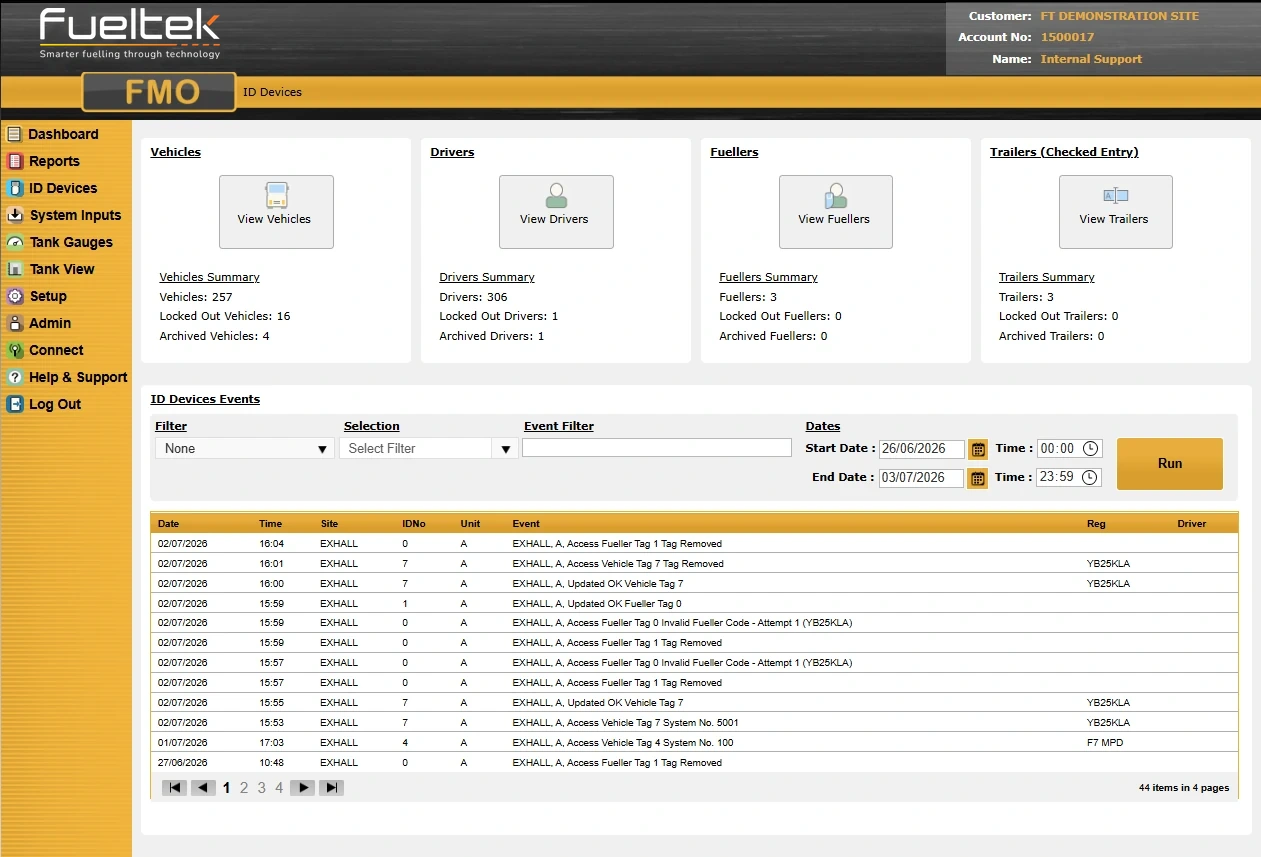
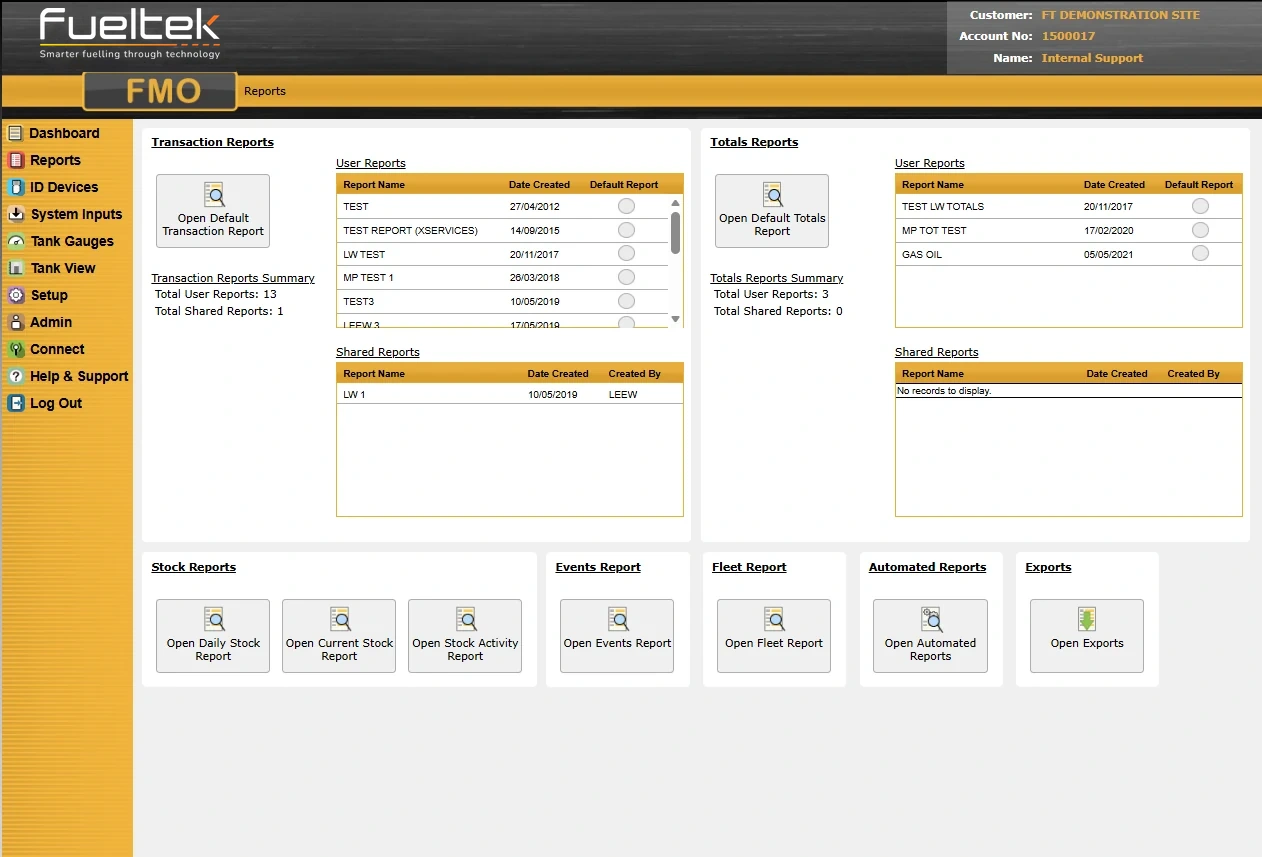
Example FMO screens · Views and records depend on the connected equipment and account permissions. Select an image to view it full size.
Tag setup and any supporting hardware or communications are confirmed against the site’s identification process, existing equipment and operating requirements.
When identification moves to the nozzle
At T&M Plant, repeated trips between the vehicle and terminal helped shape DataNozzle. It identifies the authorised vehicle at the dispensing point and ends the transaction if that proximity is lost. The hardware and identification arrangement depend on the installation.
The assignment depends on how the site is configured. Tags can support identification of relevant users, vehicles or assets within the selected transaction process.
What happens if a tag is lost?
The missing identifier should be disabled promptly and replaced through the organisation’s approved administration process.
Are tags a complete security solution on their own?
No. Tags are one part of a wider approach that includes account administration, physical fuel security, transaction review and stock-control procedures.
Datatag settings include fuel-volume allowances, maximum fuelling events per day, week or month, time-zone access and product permissions. These controls are configured around the users and equipment at your site.
Prompts and messages
The terminal can request driver details, mileage, engine hours and job information. Checked trailer-code and job-number entries, configurable odometer validation and vehicle or driver messages help keep the transaction record useful.
Datatag combines identity, grouping, prompts, limits and messaging within the configured transaction process.
Identity and grouping
Vehicle registration, fleet number, depot and user-defined group fields can organise the data around cost centres, departments or routes.
Reading validation
Prompts can capture kilometres, miles or operating hours. Odometer validation can reject an invalid entry or accept it after a configured number of attempts. MPG exception parameters help highlight readings or consumption that need attention.
Permissions and product selection
Each Datatag can carry permissions for up to six products, alongside time-zone access, driver code or tag and PIN controls. Permissions can also cover connected site functions such as barrier gates and vehicle washes. The dispensing equipment remains specific to the stored product.
Updates and messages
Programmed changes reach the Datatag when it is next used at the fuel terminal. The system can also present vehicle or driver messages.
Changes are prepared through FMO and applied when the device is next used at the compatible terminal.
Management
Maintain the device assignment, product permissions, operating periods, prompts, messages and lock-out state for the configured system.
Fuelling limits
Access settings include maximum fuel per fill, maximum fuelling events per day or period, time-based access, product permissions and mileage or engine-hour prompts. Available controls depend on the installed system.