
Fueltek case study · Plant & construction
T&M Plant
A customer problem that helped shape Fueltek’s DataNozzle approach.
T&M Plant operates a large mobile bowser network supporting major road-building projects. The business needed defensible fuel records for customer invoicing and a process that remained practical for repeated vehicle refuelling in demanding site conditions.
 Sector context image
Project approach
From operational problem to working system.
T&M Plant’s feedback on repeated movement between vehicle and terminal helped shape a different identification workflow.
Create transparent records without slowing down every refuelling
- Fuel usage had to be recorded accurately enough to answer customer queries and support invoicing.
- The first handheld-tag workflow required repeated movement between the vehicle and the FT4000 terminal.
- The solution needed to remain secure and reliable in mobile, construction-site conditions.
Start with FT4000, then redesign the identification workflow
- Rolled out the first FT4000 systems from 2015, including the Aberdeen Western Peripheral Route project.
- Used operator feedback to improve the initial fueller-tag process.
- Developed DataNozzle so the nozzle could identify an authorised vehicle at the point of dispensing and end the transaction if that proximity was lost.
Project in context
The brief, explained in more detail.
The project brought together the equipment and operating processes described below. Explore how the installation worked and the considerations for a similar system at your site.
An operating problem that shaped DataNozzle.
T&M Plant’s mobile bowser operation needed clear fuel records to support customer invoicing and answer queries. The first FT4000 systems were rolled out from 2015, including work on the Aberdeen Western Peripheral Route project.
The initial handheld-tag process required repeated trips between the vehicle and the FT4000 terminal. We developed DataNozzle in response to the operators’ feedback, moving identification to the dispensing point. The nozzle identified an authorised vehicle and ended the transaction if that proximity was lost.
The revised process reduced repeated manual entries and strengthened the link between the authorised vehicle and its fuel record. For a new installation, the identification arrangement depends on the vehicle, reader and control equipment.
System architecture
How the Fueltek layers worked together.
A fuel-management project normally has several distinct jobs to do: physically store or dispense product, decide who is allowed to use it, measure what is held in storage, and turn activity into information that managers can review. The cards below show the roles of the systems connected with this case study.
FT4000
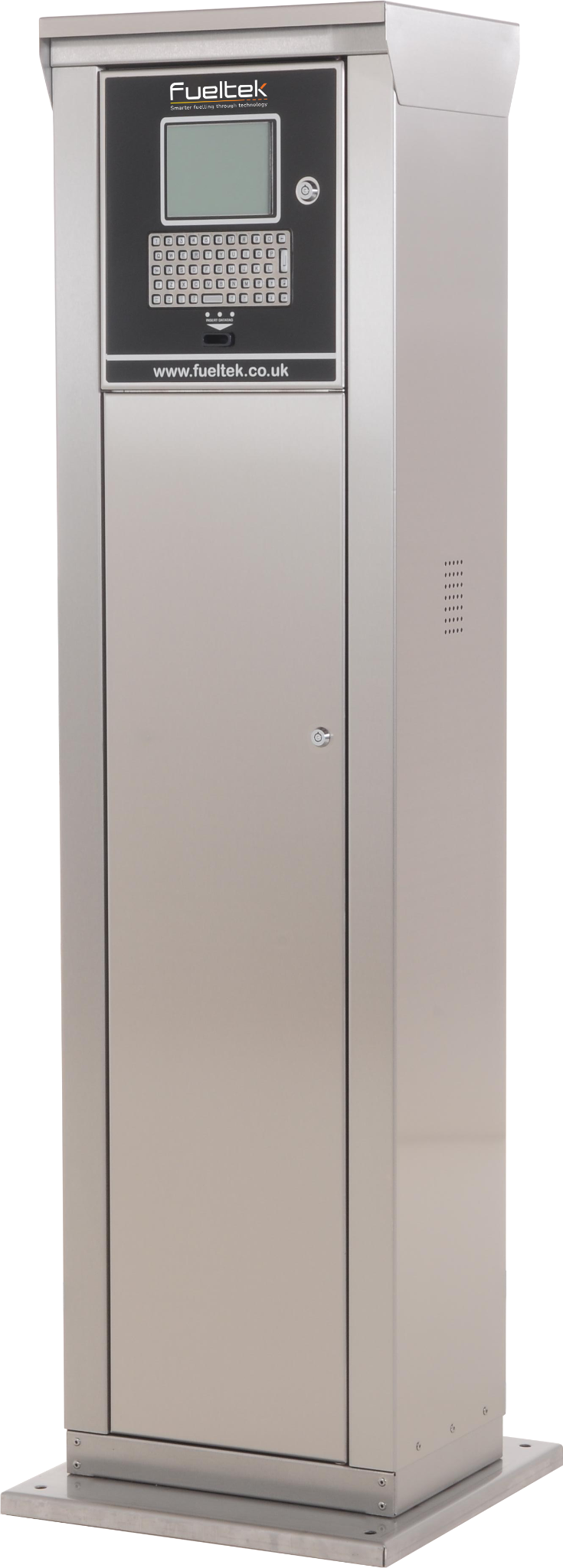
Authorised dispensing and transaction control
The FT4000 is the control layer at the fuelling point. It can be used to authorise dispensing, associate a transaction with an approved user or vehicle and create a structured transaction record instead of leaving the pump as an isolated piece of equipment. Where the project configuration captures additional fields such as mileage or identification data, those details can sit alongside the quantity dispensed so later reporting has operational context.
Explore FT4000 →Identification technology

Secure user or vehicle identification
Fuel identification technology adds an authorisation step before or during dispensing. Depending on the project, that can be a user-held tag or a vehicle-linked method such as DataNozzle. The purpose is to connect the fuel transaction to an approved user or vehicle so the record carries more meaning than litres dispensed from an open pump.
Explore Identification technology →FMO software
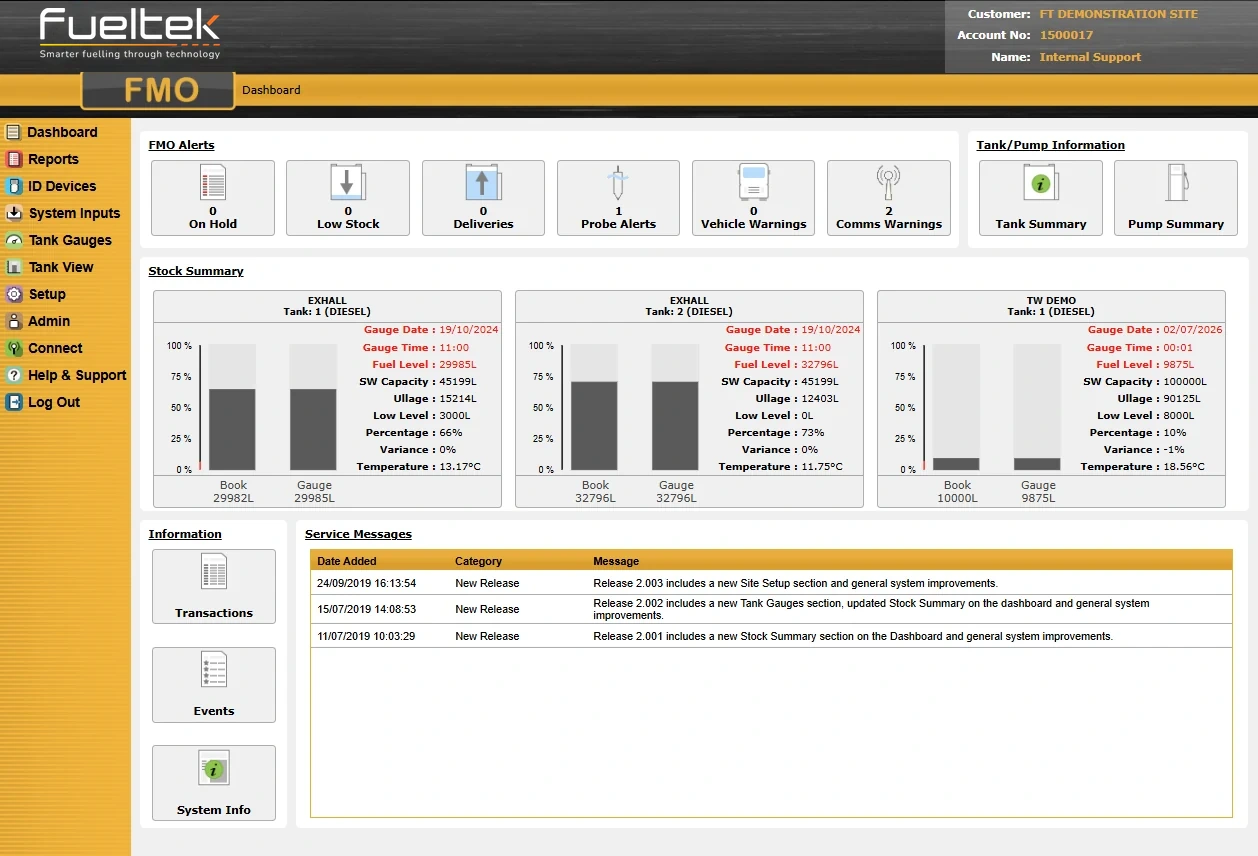
Browser-based reporting and multi-site visibility
Fueltek FMO provides the reporting and management layer above the field equipment. Depending on the installed configuration, authorised users can review fuel activity, run reports and manage information across users, vehicles, pumps or depots. On multi-site projects this is particularly important because it allows several physical locations to be viewed through one consistent reporting structure rather than as isolated fuel stations.
Explore FMO software →Project workflow
DataNozzle: identification at the point of dispensing.
T&M Plant’s operators helped shape the DataNozzle process. The sequence below shows how vehicle identification moved to the dispensing point.
Start with the operator’s problem
The initial handheld-tag workflow required repeated movement between the vehicle and the FT4000 terminal during mobile refuelling.
Bring identification to the vehicle
Fueltek developed DataNozzle so the nozzle could identify an authorised vehicle at the point of dispensing.
Maintain the proximity link
The transaction ended if proximity to the authorised vehicle was lost.
Keep the transaction attributable
The revised workflow strengthened the link between the authorised vehicle and its recorded fuel issue while reducing repeated manual entries.
Planning a similar project
What should be defined before specification.
The case-study equipment should not be copied blindly. A new installation needs to be sized and configured around the actual operation. These are the main questions We need to understand before choosing the appropriate hardware and software.
Fuel & storage
Which products are stored? What is the expected daily usage, peak usage, delivery frequency and reserve requirement? These answers influence tank capacity and whether multiple compartments are appropriate.
Vehicles & dispensing
Vehicle type, fill-point position, desired flow rate, hose reach and simultaneous fuelling demand determine the practical pump, hose and nozzle arrangement.
Access & accountability
Define whether authorisation should be tied to a driver, vehicle, department, contractor or another operational identity, and what information needs to be captured with each transaction.
Tank visibility
Decide what the site needs to know about physical stock: current level, ullage, deliveries, movement, alarms and how that information should be reconciled with pump transactions.
Reporting & users
Identify who needs reports, whether the organisation is single-site or multi-site, which managers need local or central access and what exceptions should be easy to investigate.
Installation & handover
Existing equipment, electrical and data connections, vehicle movements, groundwork, commissioning windows, staff training and any fixed go-live date all affect the delivery plan.
Apply the learning
What to take into your own project.
For mobile refuelling, observe the operator’s complete sequence before choosing the identification method. The practical question is how to keep the process usable while maintaining a dependable link between the authorised asset and the recorded fuel issue.
Read the project outcome →Case-study FAQ
Project detail and specification questions.
These answers separate the recorded facts of this case study from the decisions that would need to be made for a new installation.
What was the main issue this plant & construction project needed to solve?
Create transparent records without slowing down every refuelling. Fuel usage had to be recorded accurately enough to answer customer queries and support invoicing. The first handheld-tag workflow required repeated movement between the vehicle and the FT4000 terminal.
Which Fueltek systems are connected with this case study?
This project brought together FT4000, Identification technology and FMO software. Each system has a distinct role in fuel control, storage, monitoring or reporting.
Why use both pump records and tank monitoring where both are installed?
They measure different parts of the operation. Managed dispensing records the authorised transaction at the pump, while tank monitoring measures physical stock and movements in storage. Reviewing both gives the operator more context than either source on its own.
Would a new project use exactly the same specification?
Not automatically. A similar project should be specified around fuel type, storage capacity, peak dispensing demand, hose reach, user and vehicle access, communications, reporting requirements, installation constraints and any existing equipment that is suitable to retain.
What should be defined before a site survey or quotation?
Useful starting information includes the products to be stored, approximate daily and peak usage, current tank and pump details, vehicle types, required flow rate, number of users or vehicles, preferred access method, reporting expectations, communications available at the site and any installation or handover deadline.
Project outcome
What changed.
The revised workflow reduced repeated manual entries while strengthening the link between the authorised vehicle and the recorded fuel transaction.
Relevant Fueltek systems
Explore the technology used.
Equipment is specified around the site, fuels, users, reporting requirements and existing infrastructure. The links below show the closest current Fueltek product areas connected with this project.
Plan your own system
Have a similar operational challenge?
Fueltek can review your tanks, pumps, vehicles, users, reporting requirements and existing equipment before recommending the most practical route forward.
Customer feedback
“T&M Plant has worked with Fueltek since 2015 and have developed a very good working relationship.”
Managing Director & CEO, T&M Plant
Customer feedback from this installation.